
Spectral Clipper – a new dimension in audio clipping (VST® 3)
Push loudness without killing punch. Spectral Clipper is an audio effect plugin that applies frequency aware clipping, so you can tame peaks with surgical precision while preserving transients, tone and clarity. Perfect for modern mixing and sound design workflows.
- Frequency focused control for transparent loudness and cleaner harmonics
- Musical peak shaping that keeps sound punchy and present
- Spectral clipping abilities for unique sound design
- Fast and versatile for everyday production, sound design and mixing
Spectral Controlled Clipping
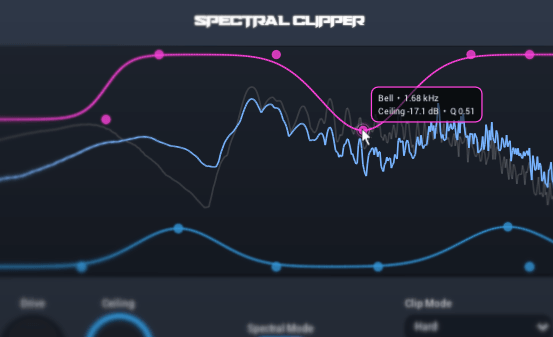
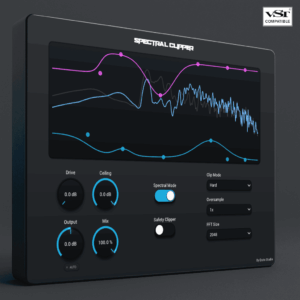
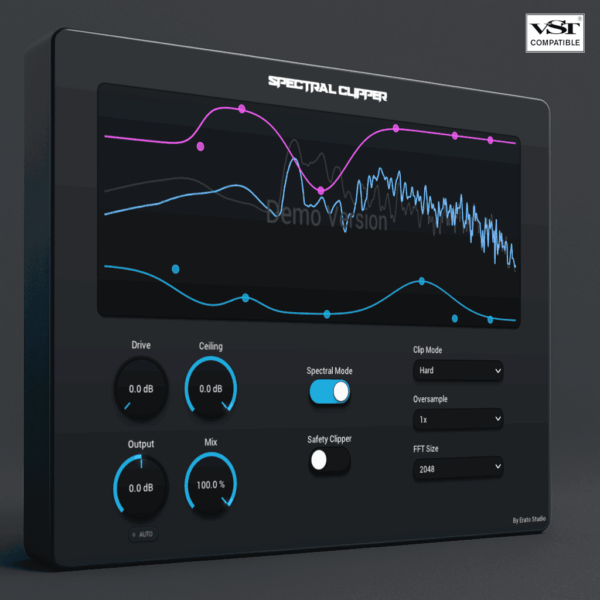
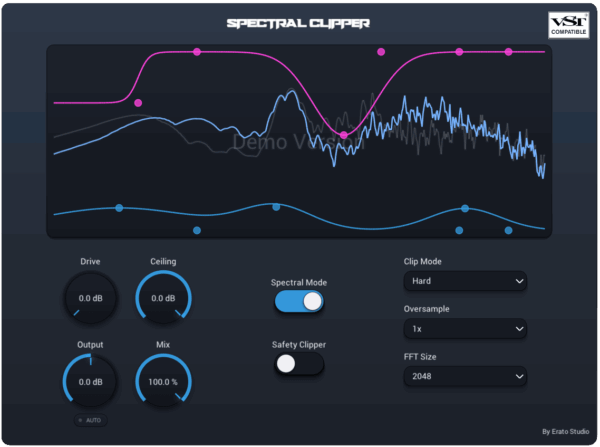
The Spectral Clipper lets you shape the clipping response using draggable nodes and smooth, adjustable curves.
There are two types of nodes and curves to shape your sound:
- Ceiling
- Drive
The ceiling sets the level at which the signal is clipped. Lowering the Ceiling reduces the available headroom and causes the clipper to engage sooner.
Drive controls how much the signal is pushed into the clipper. Increasing the Drive creates more clipping, saturation, and overall intensity.
The real time analyzer shows how the signal behaves before and after processing.
Band Types
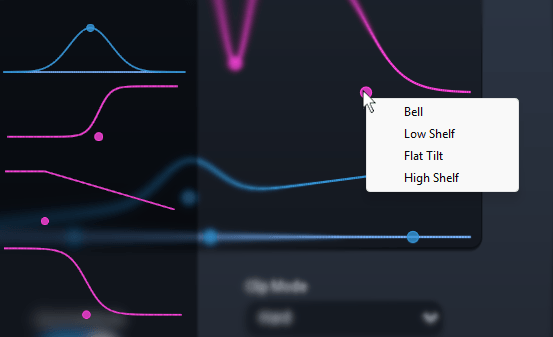
The Spectral Clipper offers multiple band types that let you adjust how your sounds are clipped:
- Bell
- Low Shelf
- Flat Tilt
- High Shelf
Right click one of the drive or ceiling nodes and select your preferred band type from the menu.
This gives you precise control over the shape of your clipping curve, helping you achieve a level of precision that other clippers cannot match.
Clip Modes
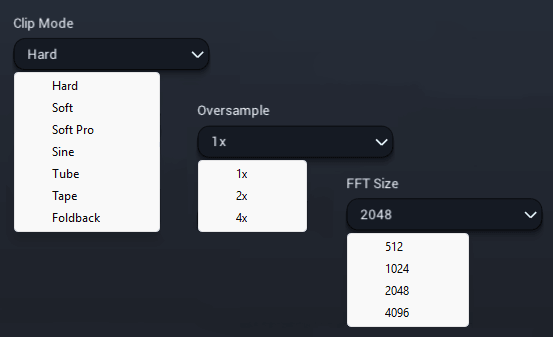
The Spectral Clipper includes multiple clip modes, each with its own character and response:
- Hard
- Soft
- Soft Pro
- Sine
- Tube
- Tape
- Foldback
These modes let you choose between transparent peak control, smoother saturation, or a more coloured clipping sound.
Giving you the flexibility to get the sound you need.
Controls
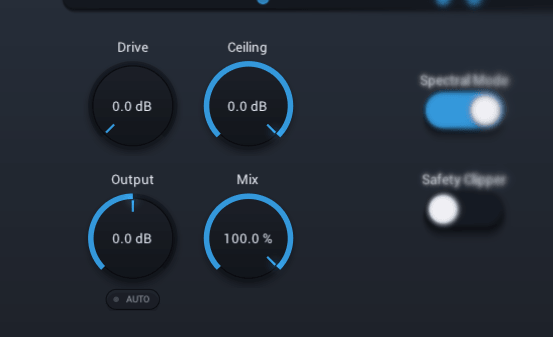
The Spectral Clipper includes a set of intuitive controls that let you fine tune the clipping process:
- Drive
- Ceiling
- Output
- Mix
- Auto Gain
These controls allow you to adjust the amount of clipping, set the output level, and blend the processed signal with the original, giving you full control over the final result.
Download the User Manual here.
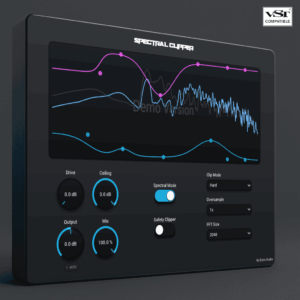
Limitations of the demo include the audio being briefly muted at random intervals.
All controls, modes, automation and analyzer features remain available.
If you enjoy using the demo, please consider buying the Full version.
For questions regarding compatibility and royalties, please visit our FAQ section on our Shop page.

VST is a registered trademark of Steinberg Media Technologies GmbH.